GitHub & Jira Automation
Automation had been setup in DEV project, if you pass in a valid ticket ID, the referenced issue will transit automatically depending on your action to save you a little time to adjust the issue status yourself.
Check out GitHub actions if you are interested how the automation works.
What is a ticket ID?
You can find the ticket ID from the bottom left corner of your issue card.
ticket ID example:

NGT-194 is the ticket ID.
How to name your branch
<ticket-id>/<branch-type>_<branch-name> (**DEV-112/feature_user-login**)
Supported Actions
Create Branches Branch name example: DEV-112/feature_user-login Issue will automatically transit from
To DotoIn Progress.Create Commits Commit name example: "DEV-112 Initial commit" Issue will automatically transit from
To DotoIn Progress.Create Pull Requests Pull Requests name example: "[DEV-112] Feature Login User" Multiple Issues example: "[DEV-111 DEV-112 DEV-113] Feature User Management" All Issues will automatically transit from
In ProgresstoCode Review.Pull Requests Approved Issue will automatically transit from
Code ReviewtoDeploy.Pull Requests Declined Issue will automatically transit from
Code ReviewtoIn Progress.
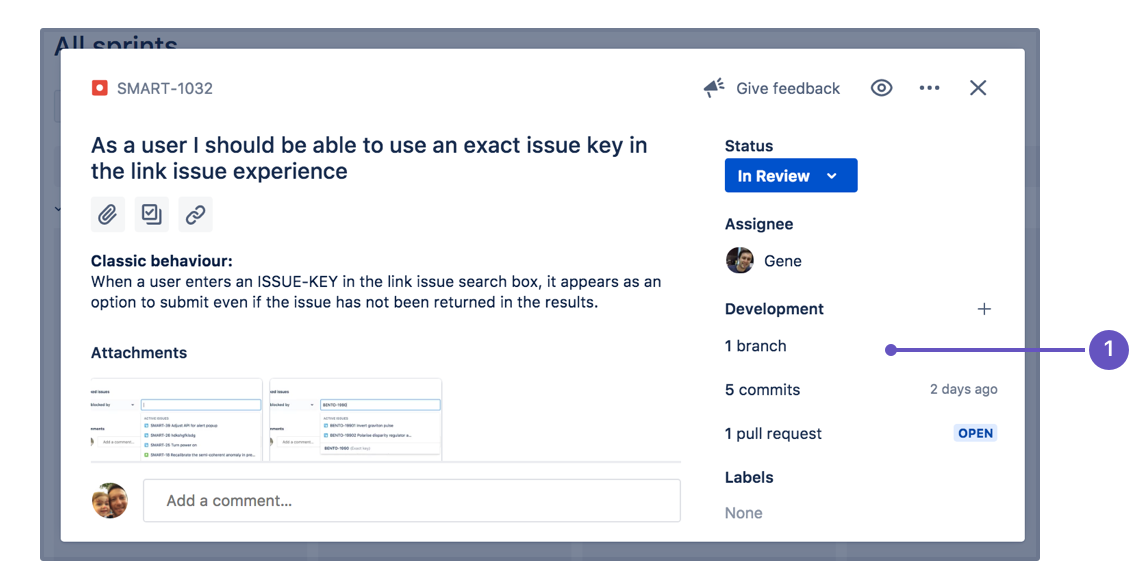
View the development panel
If everything has been set up correctly, you will see a development panel on each of your issues, similar to the screenshot below. The development panel provides you with just enough information to evaluate the status of an issue's development at a glance.